Using the app

Getting around the Jakalooki app

Where everything is and what each control does — from the welcome screen to the scoreboard, one band of the table at a time.

15 steps · go at your own pace

The Jakalooki welcome screen

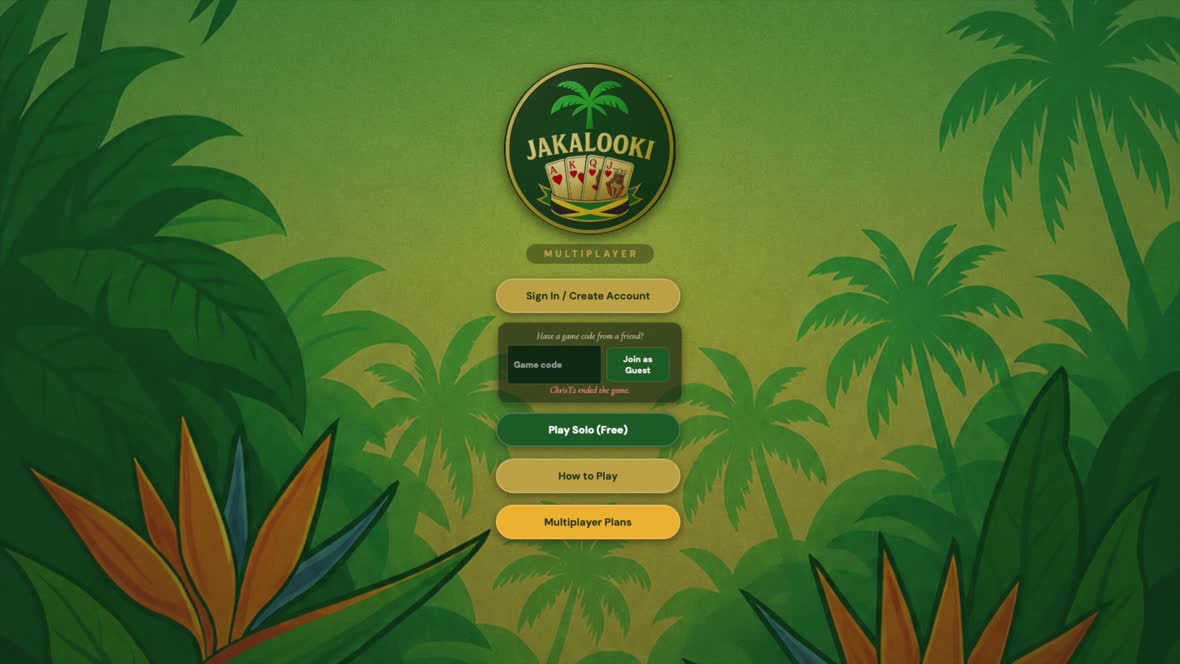
The welcome screen

The first thing you see. Sign in if you already have an account, drop straight into a friend’s table with their game code, or go to Play Solo (Free).

Nothing on this screen asks for payment. Play Solo (Free) and How to Play both work before you have an account at all.
The signed-in main menu

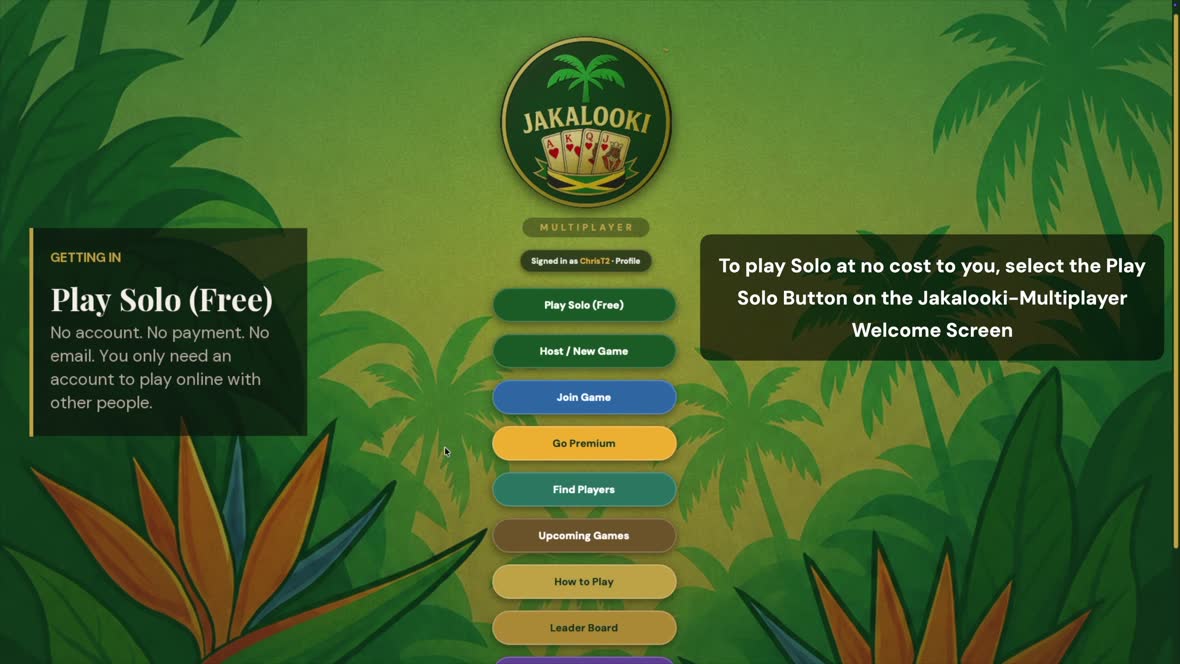
Once you are signed in

Signing in opens the rest of the app: hosting and joining games, finding other players, scheduled games, the Leader Board, the Card Art Store and the Artist Studio. The list runs on below the fold — Play Solo (Free) stays right at the top.

The Card Art Store sells card backs and faces made by Jakalooki artists, and buying one supports that artist directly. The Artist Studio is where those artists submit and manage their work.

Solo play against the computer is free and stays free. A membership is only for playing online with other people — it is not a trial.
The Play Solo vs AI setup screen

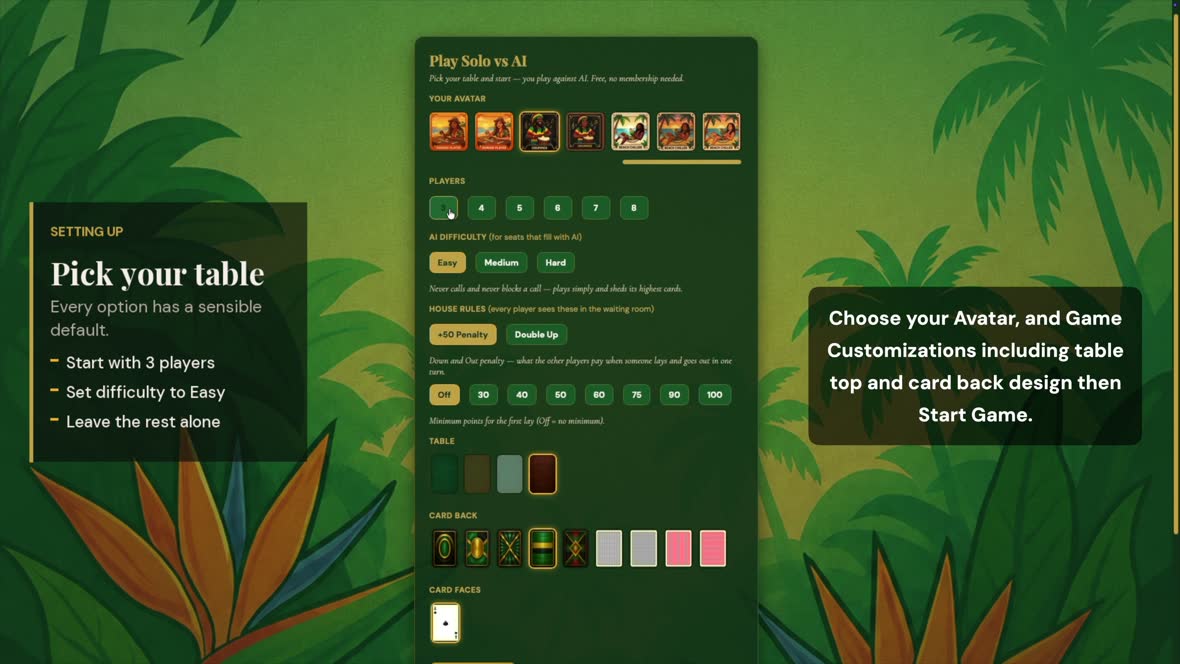
Setting up your table

Choose your look, how many seats, and how hard the computer plays.

The house rules matter more than they look — the Down-and-Out penalty, and whether a minimum applies to your first lay. Leave both alone while you are learning.
The Jakalooki game board

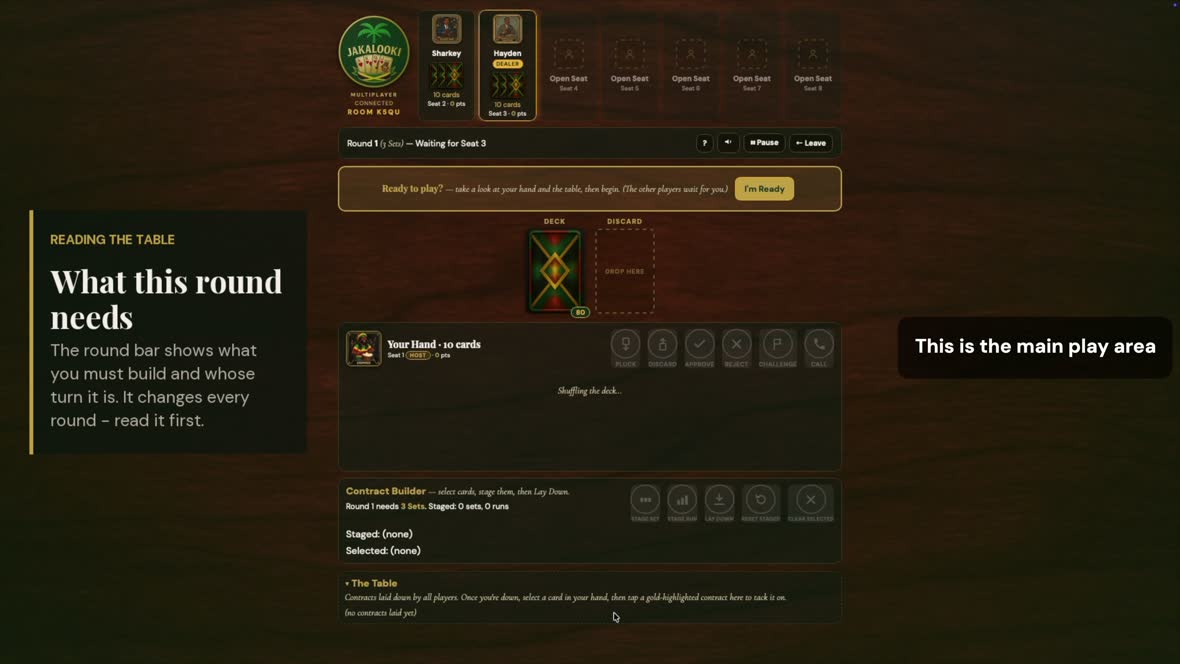
The main play area

This is the whole game on one screen, and it always reads in the same order — top to bottom. The next six steps walk down it, one band at a time.

Nothing is hidden behind a menu. If a control is not on this screen, it is not part of your turn.
The player seats along the top of the board

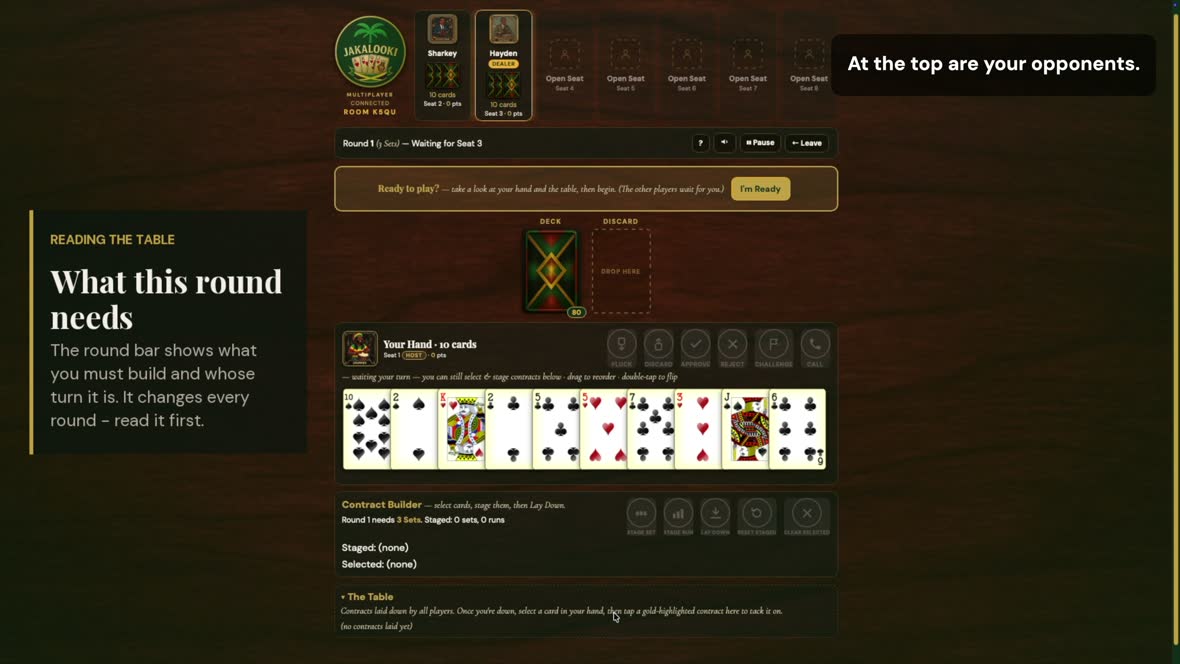
1 · The opponents

Every other player sits along the top: name, avatar, how many cards they are holding, seat and score. A badge marks the dealer.

Those card counts are the most useful numbers on the board. Someone down to two or three is about to go out — your cue to throw high cards before you get caught with them.
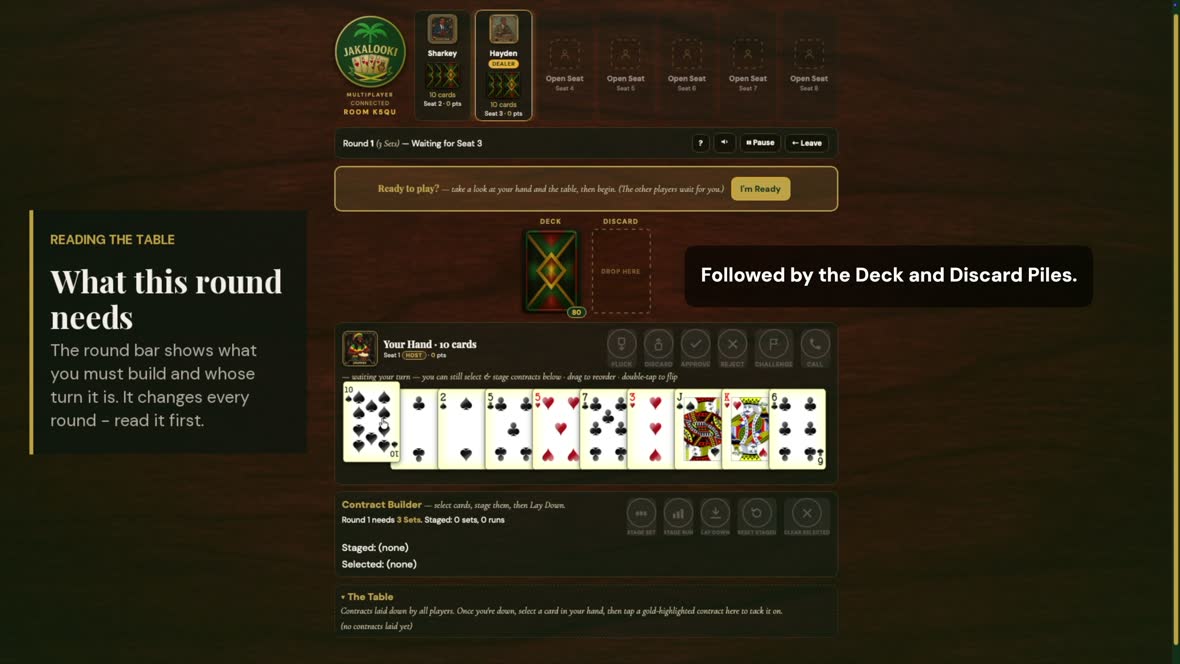
The round bar showing the current contract

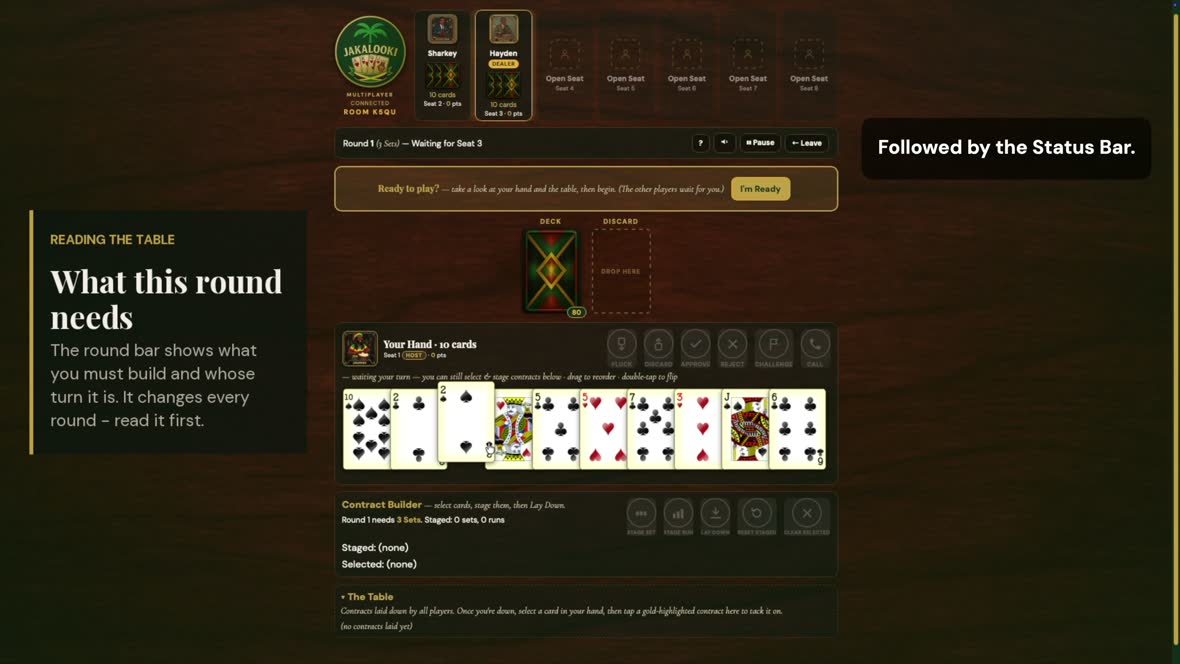
2 · The status bar

The round you are in, the contract it requires, and whose turn it is. The game controls sit to the right: help, sound, pause and leave.

Read this line first, every round. It is the only place the game tells you what you are building — and it changes all nine times.
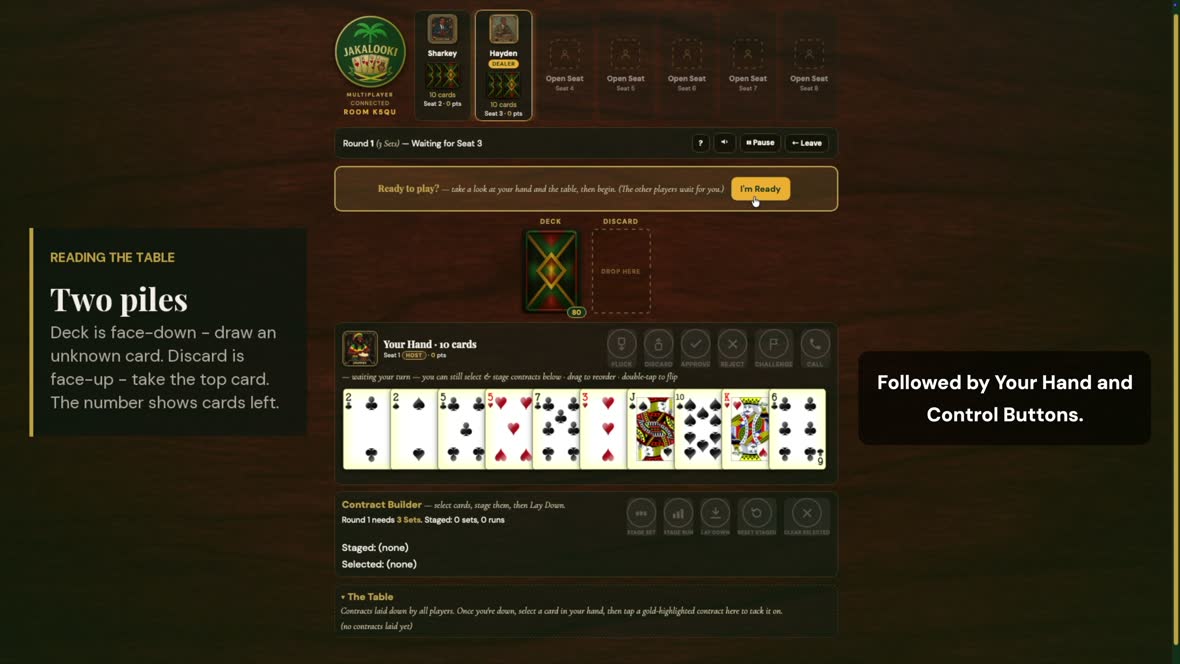
The deck and discard piles

3 · The deck and the discard

The two shared piles. The deck is face-down — draw an unknown card. The discard is face-up — take the top card instead, which is called plucking.

The number on the deck is how many cards are left. When it runs low the round is nearly over — a good moment to shed anything heavy.
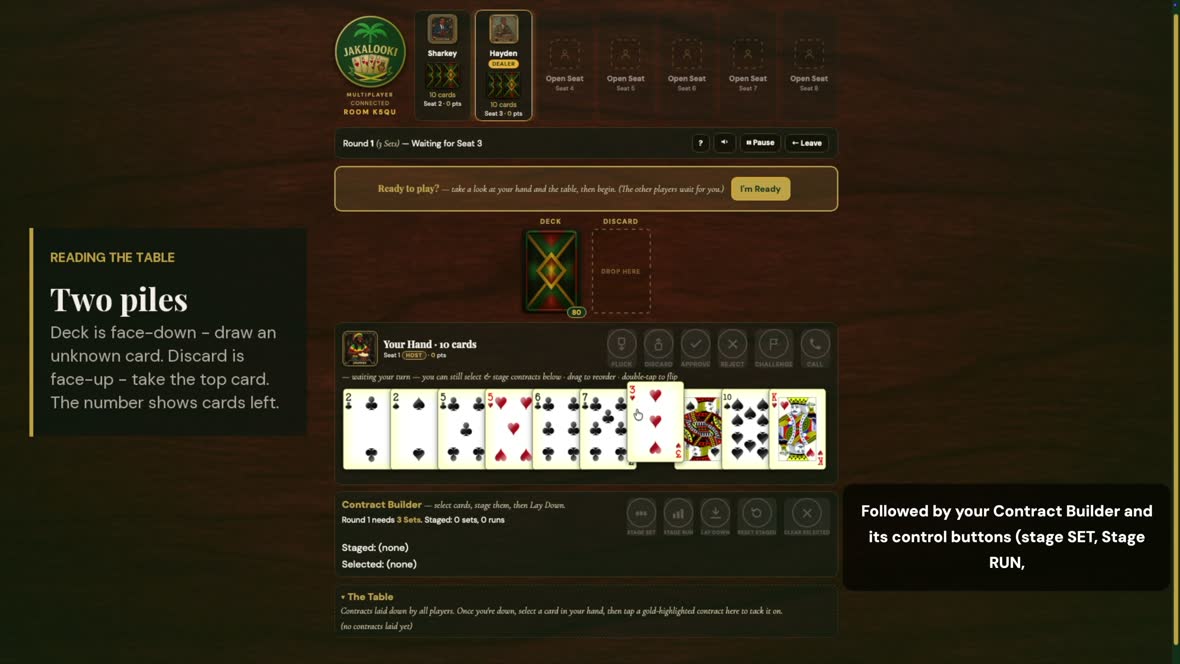
Your hand and the six action buttons

4 · Your hand and its buttons

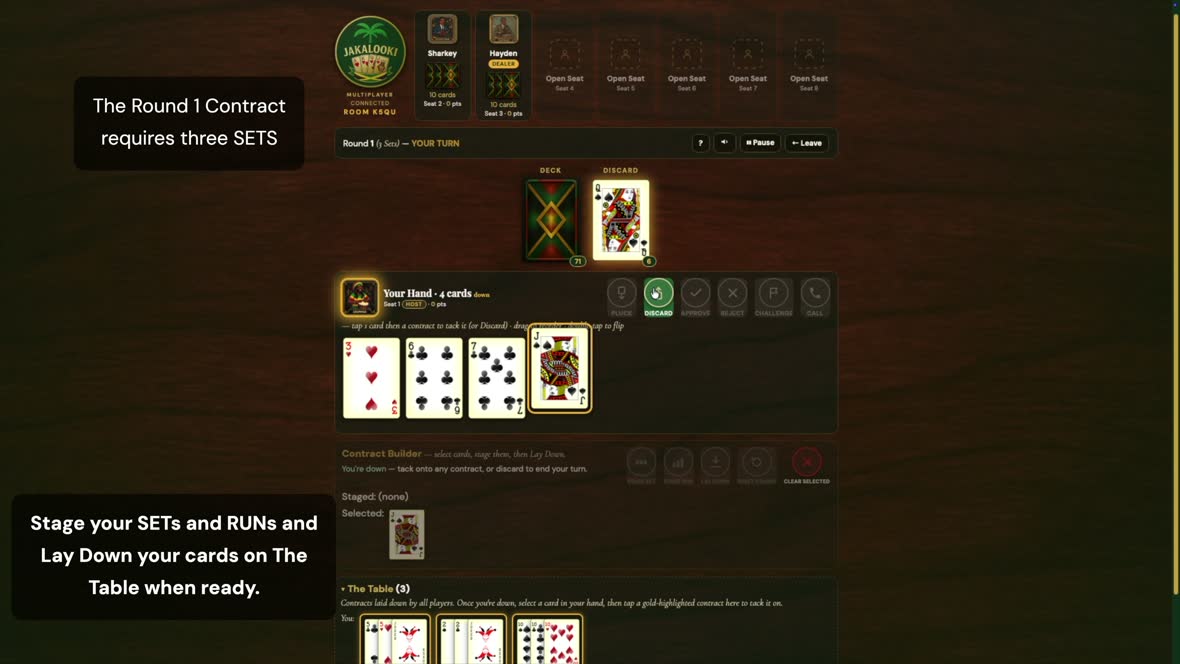
Your cards, with the six action buttons above them: Pluck, Discard, Approve, Reject, Challenge and Call.

Tap a card to select · drag to reorder · double-tap to flip it face-down. Staged cards dim, so you can always see what is already committed.
The Contract Builder with cards staged

5 · The Contract Builder

Where contracts get assembled. Select cards, press Stage Set or Stage Run, and repeat until the round’s contract is complete. The header tracks what is still needed.

Lay Down plays every staged part at once, and it has to be the whole contract — never part of it now and the rest later.
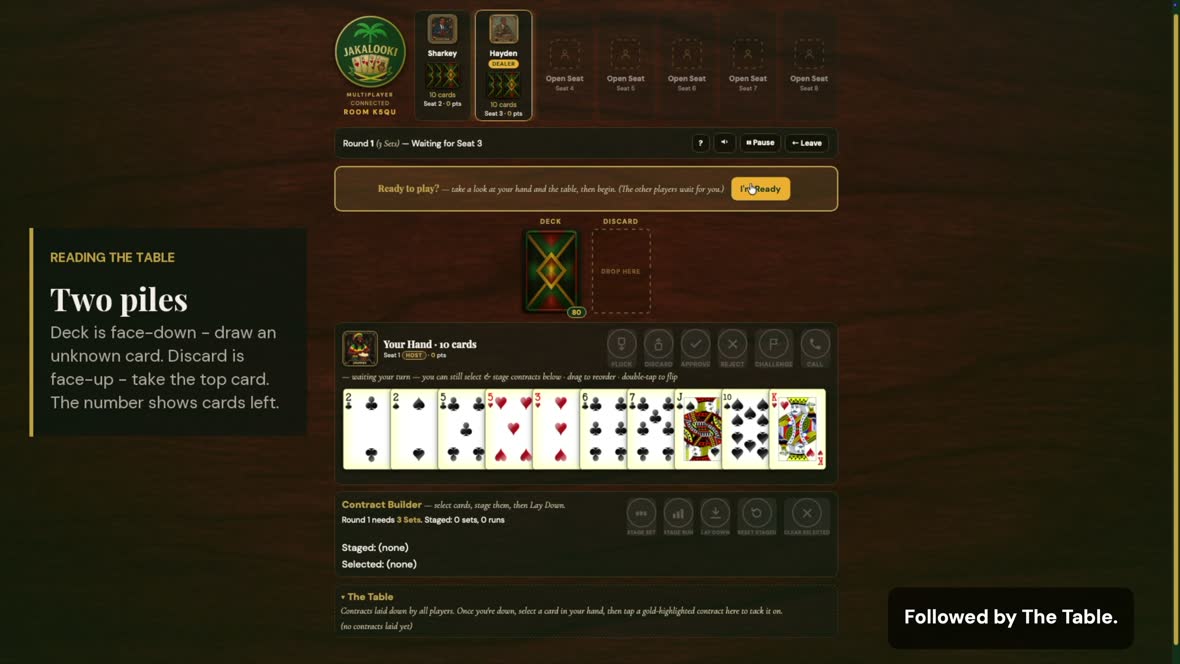
The Table showing every laid contract

6 · The Table

Every contract that has been laid down, by every player, collected at the bottom of the screen.

Once you are down, this is where you tack. Collapse the section any time you want more room for your hand.
The action buttons in their active and inactive states

When the buttons light up

The six action buttons are only active at the moments you can actually use them.

A dim button is not broken — it just is not your moment. The help button on the status bar opens the rules without leaving the game.
The CALL button and how calling works

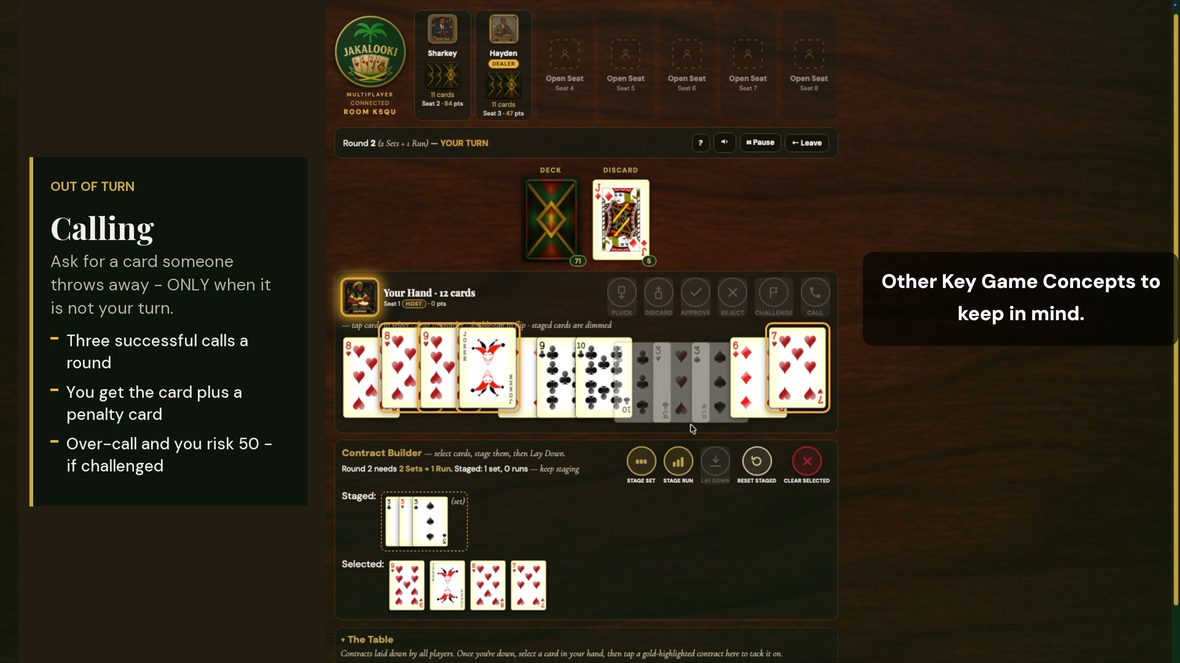
Calling

The CALL button lights when another player throws away a card — and only then. Calling is how you ask for a discard when it is not your turn; on your own turn you simply pluck it.

Win the call and you receive the card you asked for plus a penalty card, so your hand grows by two. Only call for something that genuinely moves your hand forward.

You get three successful calls a round. Past three you are over-calling, which risks 50 points per extra call — but only if another player successfully challenges you.
The Approve, Reject and Challenge buttons

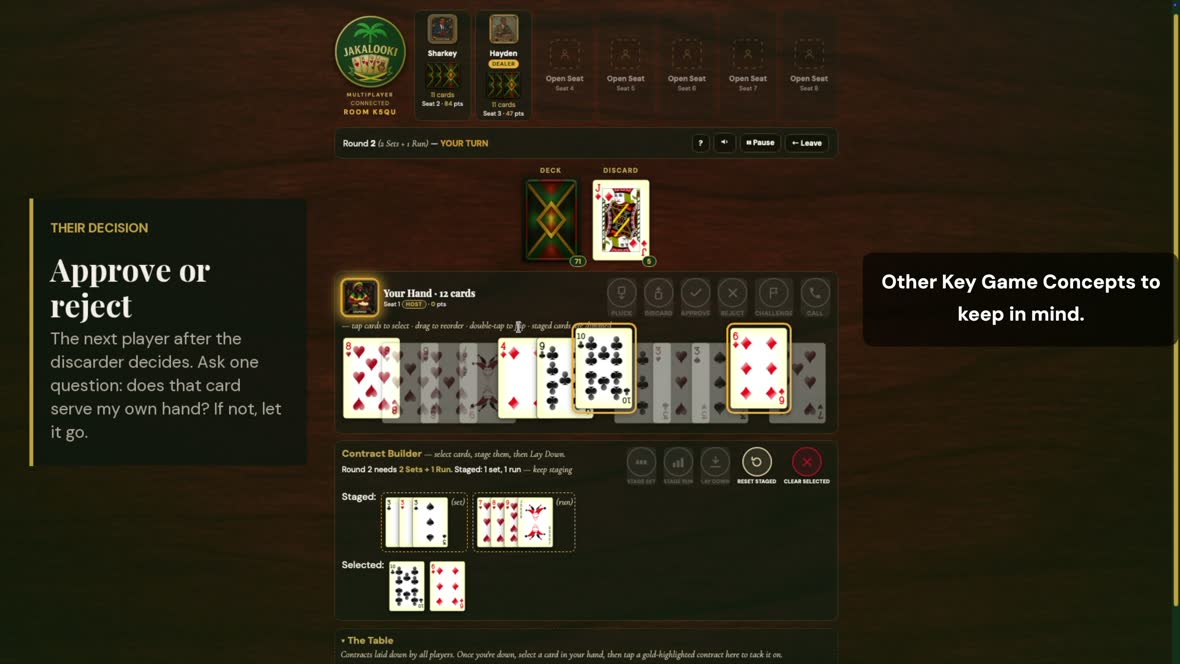
Approve, reject and challenge

When somebody calls, the next player after the discarder decides. Your Approve and Reject buttons light up when that decision belongs to you.

Challenge is for contesting a call you believe went past the limit.

Before refusing, ask one question: does that card serve my own hand? If not, let it go — winning the round is the objective, not blocking other people. And challenge carefully: get it wrong and the 50-point penalty is yours.
A selected card and contracts highlighted in gold, ready to accept it

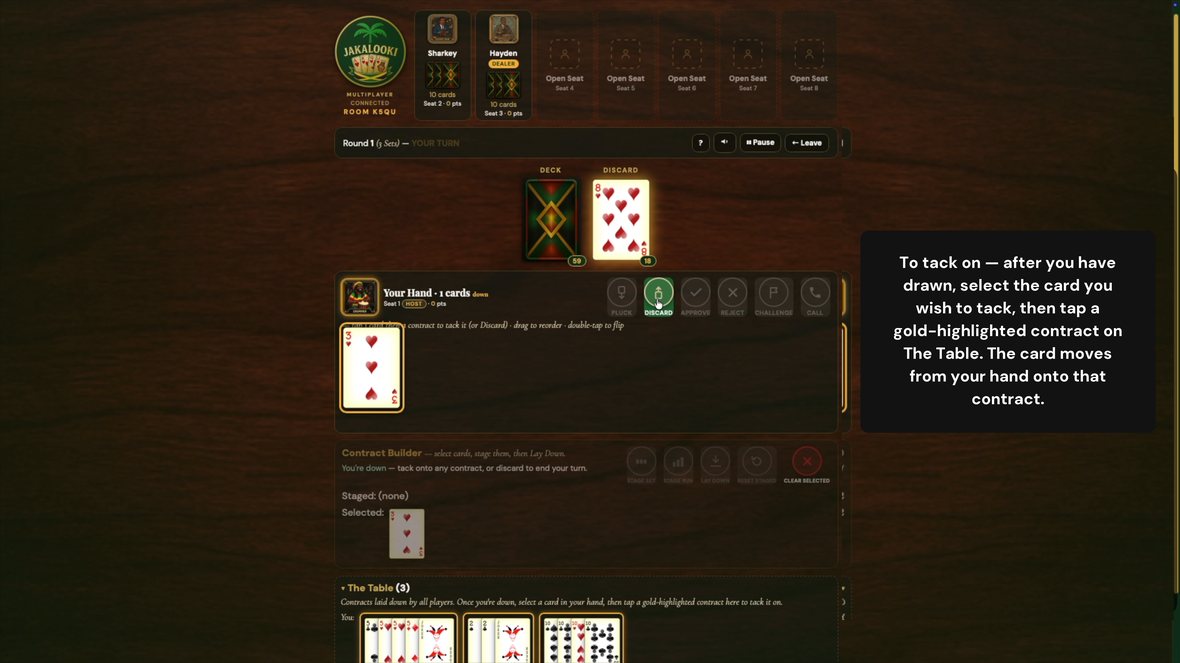
Tacking on

Once your contract is down, spare cards can be added to any contract on the table — yours or anyone else’s, sets and runs alike.

Select a card and every contract that will accept it lights up in gold, as the three at the bottom have here. Tap one and the card moves straight out of your hand onto it.

Draw first, tack second, discard last. Every card you shed is a card that cannot score against you.
The end-of-round scoreboard

Scoring the round

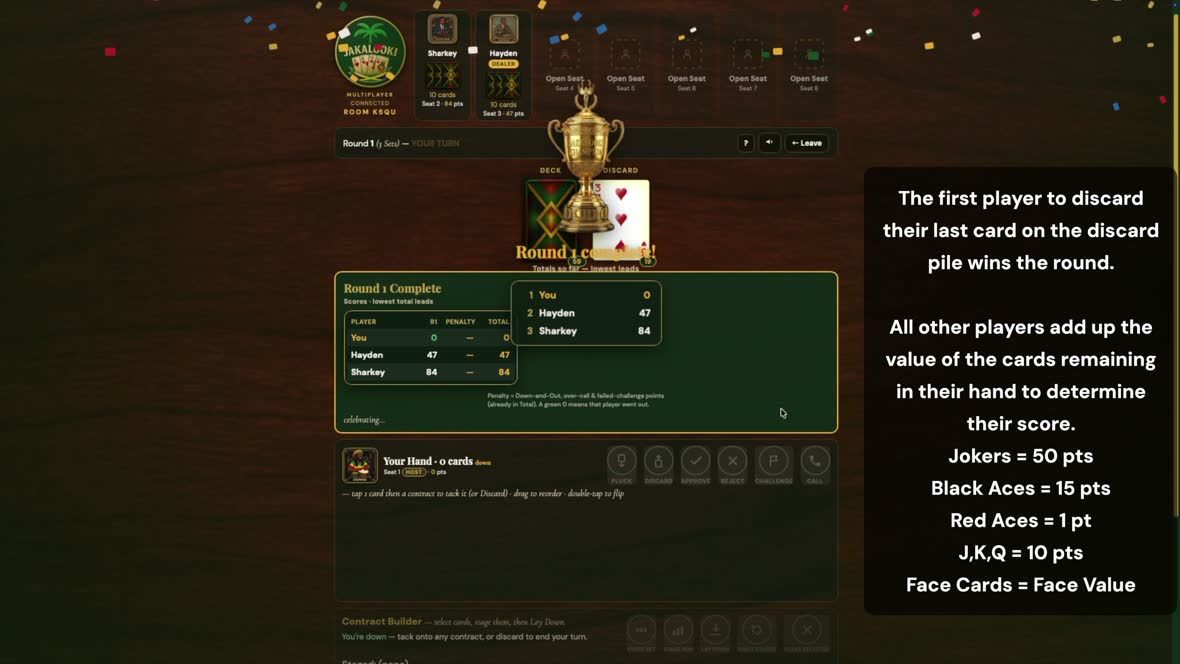
The first player to discard their last card wins the round. Everyone else adds up what they are still holding.

Joker 50 · black ace 15 · red ace 1 · 10, J, Q, K 10 · everything else face value. Nine rounds, and the lowest total wins.

Use the arrow keys, or swipe

Keep going

New to Kalooki? Start with the rules

Open the guide Play free in your browser